Rondine
Hardware-aware local LLM launcher for Apple Silicon, NVIDIA GPUs, and DGX Spark.
Rondine detects RAM and VRAM, recommends models that fit, applies tuned engine settings, downloads the weights, and starts an OpenAI-compatible server. It is a thin control plane over llama.cpp, MLX-LM, and vLLM—not another inference engine.
Quick install
Requires Python 3.11+ (installed automatically via uv
when needed). The installer downloads the latest GitHub Release wheel, verifies
SHA256SUMS, and installs the rondine CLI with uv tool install.
Pin a version:
curl -LsSf https://rondine.dev/install.sh | sh -s -- --version 0.1.0
# or
RONDINE_VERSION=0.1.0 curl -LsSf https://rondine.dev/install.sh | sh
See the full install guide for PATH setup, updates, uninstall, checksum verification, and Windows/WSL details.
First run
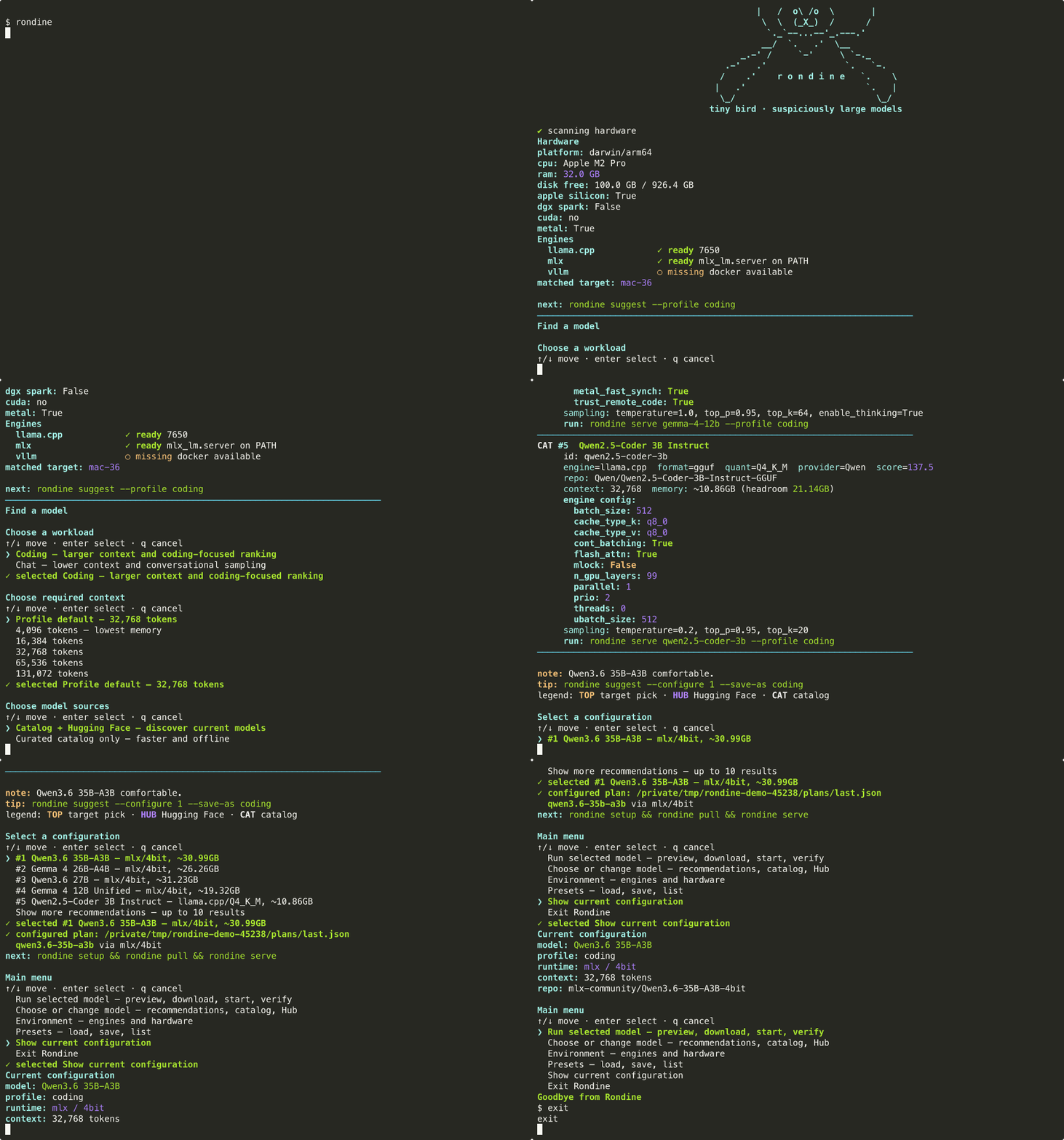
Bare rondine opens the guided dashboard. Explicit commands work the same way:
rondine suggest --profile coding
rondine suggest --configure 1 --save-as coding
rondine setup
rondine pull
rondine serve --preset coding
rondine verify --profile coding
Your OpenAI-compatible endpoint is http://127.0.0.1:8080/v1.
What Rondine configures
- Apple Silicon: MLX-LM or llama.cpp with MLX/GGUF models
- NVIDIA GPUs: llama.cpp or vLLM with GGUF, safetensors, or NVFP4 models
- DGX Spark / GB10: vLLM or llama.cpp with NVFP4/GGUF models
- Homogeneous clusters: native MLX/vLLM launchers or llama.cpp RPC
Documentation
| Guide | Topic |
|---|---|
| Install | Curl installer, WSL, updates, checksums |
| CLI guide | Interactive dashboard, suggest, memory modes |
| Coding clients | Cursor / Continue / OpenAI SDK setup |
| Engine tuning | llama.cpp, MLX, vLLM knobs |
| Hardware gates | Fit budgets and platform rules |
| Cluster setup | Dual-node inventory helpers |
| Benchmarks | Measurement method and results |
License
Apache-2.0. Model weights retain their upstream licenses.
Rondine means “swallow” in Italian.